My Java code stores files in S3 and data in DynamoDB. How do I develop and try it on my machine, without an AWS account, without a bill, and without changing the code that talks to AWS?
This post introduces Floci, a local AWS emulator, with an end-to-end example: the AWS CLI creates the resources, a small Java application uses them, and the Floci web console shows them. I contribute to the Floci project.
Why a local emulator
To try code that talks to AWS, you can use a real account: you need credentials, each call can cost money, and a configuration mistake can touch more than a test environment. A local emulator answers the same calls, on the machine, with no account and no bill.
LocalStack is the best-known tool in this field. Since March 2026, according to its own blog, it ships as a single image that needs an auth token, with a free account-based plan for individuals and open source projects. Floci works with no account and no token.
Floci in brief
According to its README, Floci is “a free, open-source local AWS
emulator for development, testing, and CI”, under the MIT license. It
is part of a family of emulators: floci for AWS (port 4566), and
others for Azure, GCP and OCI.
All AWS services answer on http://localhost:4566. Any published
region works, and the credentials can be any non-empty values.
An emulator, not a mock
In a test, a mock replaces the AWS client with a fake object. It answers what you told it to answer. The code makes no network call, and the test mostly checks what you believe about AWS.
Floci is something else: it is a server that speaks the AWS
protocol. The code keeps the real AWS client (the one of the AWS
CLI, the Java SDK, Terraform…), which sends real HTTP requests, signed
like for AWS. Only the address changes: localhost instead of AWS.
The README describes its architecture:
- an HTTP router receives the requests in the AWS format;
- stateless services (SQS, SNS, IAM, STS, KMS, Secrets Manager…);
- stateful services: S3, DynamoDB and DynamoDB Streams;
- services that start real Docker containers: Lambda, RDS, ElastiCache, MSK, ECS, EC2, EKS…;
- the storage of your choice: in memory, persistent, hybrid, or with a write-ahead log.
Floci measures its compatibility with test suites per SDK and per tool, published in its repository: for example 1,326 tests for the AWS SDK for Java v2, 205 for the AWS CLI v2, 67 for Terraform.
Start Floci
The simplest way is its CLI, floci-cli (Docker must be running):
floci start
floci status
Floci then runs in a container and answers on port 4566.
With the AWS CLI
floci env prints the variables that send the AWS CLI to Floci:
export AWS_ENDPOINT_URL='http://localhost.floci.io:4566'
export AWS_ACCESS_KEY_ID='test'
export AWS_SECRET_ACCESS_KEY='test'
export AWS_DEFAULT_REGION='us-east-1'
localhost.floci.io is a name that points to 127.0.0.1, like its
subdomains: documents.localhost.floci.io too. This is useful for S3,
which can put the bucket name in the host name.
I create the resources of the example: a bucket for the texts, a table for the info.
eval "$(floci env)"
aws s3 mb s3://documents
aws dynamodb create-table \
  --table-name document-info \
  --attribute-definitions AttributeName=id,AttributeType=S \
  --key-schema AttributeName=id,KeyType=HASH \
  --billing-mode PAY_PER_REQUEST
To see that the CLI does nothing special, the --debug option shows
the request:
aws s3 ls --debug
Endpoint provider result: http://localhost.floci.io:4566
Sending http request: <AWSPreparedRequest ... method=GET, url=http://localhost.floci.io:4566/,
  headers={... 'Authorization': b'AWS4-HMAC-SHA256 Credential=test/..., SignedHeaders=host;x-amz-content-sha256;x-amz-date, Signature=...' ...}>
Response headers: {'Content-Type': 'application/xml', ..., 'x-amz-request-id': '9f476e72-...'}
(I shortened the lines.) The request is signed with SigV4
(AWS4-HMAC-SHA256), exactly like for AWS, and Floci answers in XML,
like S3. So that you do not export these variables in each terminal, a
named AWS profile does the same; I explain it in
the post about my dev machine.
With the Java SDK
The example is a small application, published on GitLab: floci-aws-local-demo. It stores « documents »: the text in S3, the info (title, author) in DynamoDB, and the consultation returns both together. It uses the AWS SDK for Java v2; Quarkus is only the web layer.
| Endpoint | What it does | AWS service |
|---|---|---|
POST /documents (text) | stores the text, returns an id | S3 |
POST /documents/{id}/info (JSON) | stores the title and the author | DynamoDB |
GET /documents/{id} | returns the info and the text | DynamoDB + S3 |
GET /documents | lists the documents | DynamoDB |
It is an educational example: each class builds its client with visible constants. The S3 client (a simplified part of DocumentTextResource.java):
private static final URI ENDPOINT = URI.create("http://localhost:4566");
private static final Region REGION = Region.US_EAST_1;
// Floci accepts any non-empty credentials.
private static final AwsBasicCredentials CREDENTIALS = AwsBasicCredentials.create("test", "test");

try (S3Client s3 = S3Client.builder()
        .endpointOverride(ENDPOINT)
        .region(REGION)
        .credentialsProvider(StaticCredentialsProvider.create(CREDENTIALS))
        .build()) {

    PutObjectRequest request = PutObjectRequest.builder()
            .bucket("documents")
            .key(id + ".txt")
            .contentType(MediaType.TEXT_PLAIN)
            .build();
    s3.putObject(request, RequestBody.fromString(text));
}
This is the S3 client you would use with AWS. The only difference is
endpointOverride: with real AWS, you remove this line and use real
credentials. The DynamoDB client is built the same way, in
DocumentInfoResource.java.
The application runs on the machine, with the Java and Maven versions
given by its mise.toml file:
mise install
mvn quarkus:dev
Then you store a document and its info, and read it back:
curl -X POST localhost:8080/documents -H 'Content-Type: text/plain' \
  --data 'Floci speaks the AWS protocol on port 4566.'
{"id":"3fa7b64a-10e9-4e1e-b9d3-258a043f8122"}
curl -X POST localhost:8080/documents/3fa7b64a-10e9-4e1e-b9d3-258a043f8122/info \
  -H 'Content-Type: application/json' -d '{"title":"Hello Floci","author":"Foulen Foulani"}'
curl localhost:8080/documents/3fa7b64a-10e9-4e1e-b9d3-258a043f8122
{"id":"3fa7b64a-…","title":"Hello Floci","author":"Foulen Foulani","createdAt":"2026-10-24T03:12:58.387781Z","text":"Floci speaks the AWS protocol on port 4566."}
The title comes from DynamoDB, the text from S3. An unknown id answers
404.
Here, the Floci address is a constant in the code. In a real project,
you can keep it out of the code: according to the AWS guide, the SDK
for Java 2.x reads AWS_ENDPOINT_URL, or endpoint_url in an AWS
profile (the SDK 1.x does not).
The web console
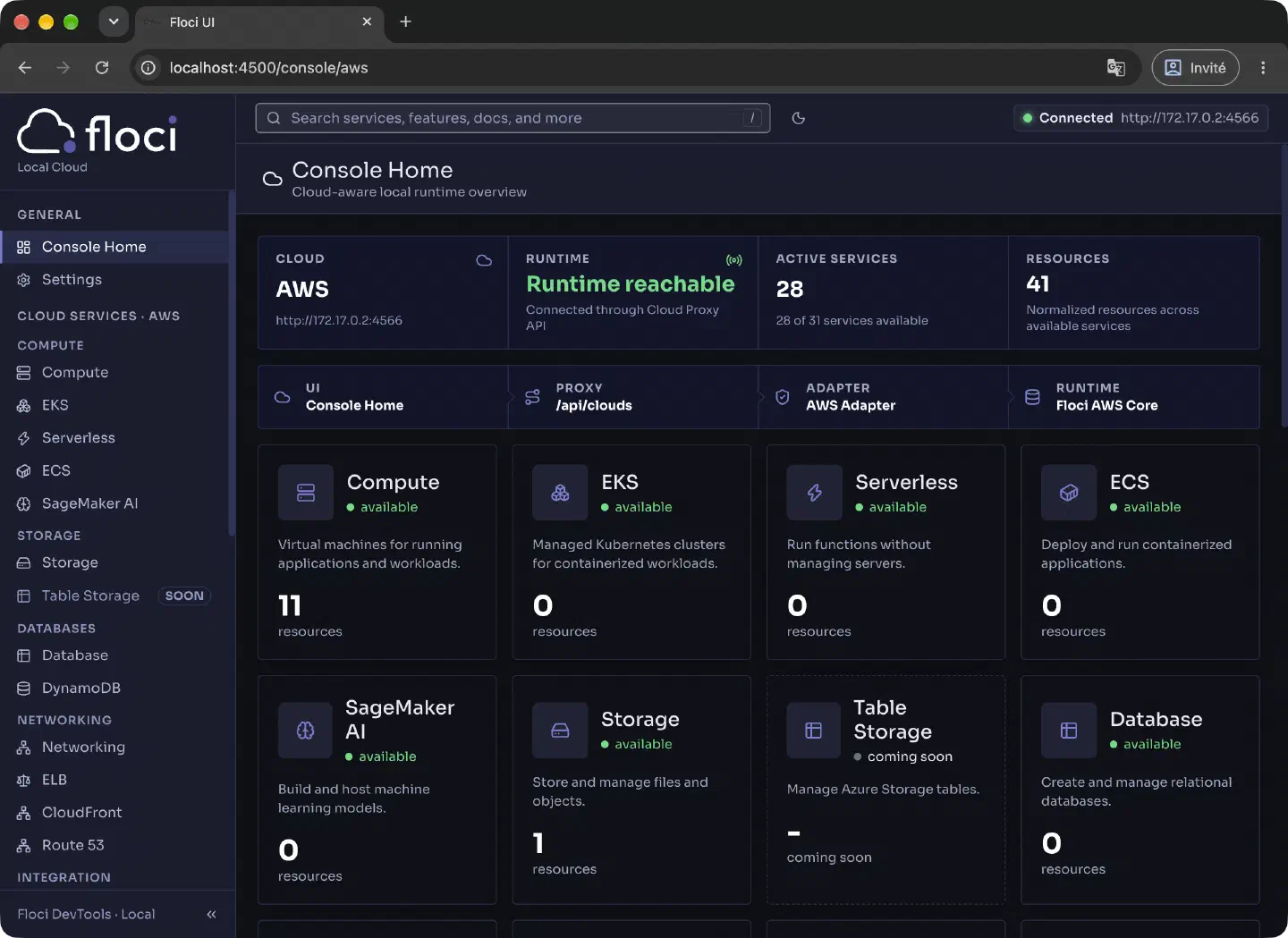
Floci has a web console: http://localhost:4566/_floci/ui. It does not
run at startup. On the first visit, Floci starts a container next to
it, with the console, then redirects the browser there (here, to
port 4500). This is why Floci needs the Docker socket (floci start
takes care of it). The console does more than show: you can also
create a bucket, upload a file, add an item to a table or run a PartiQL
query.
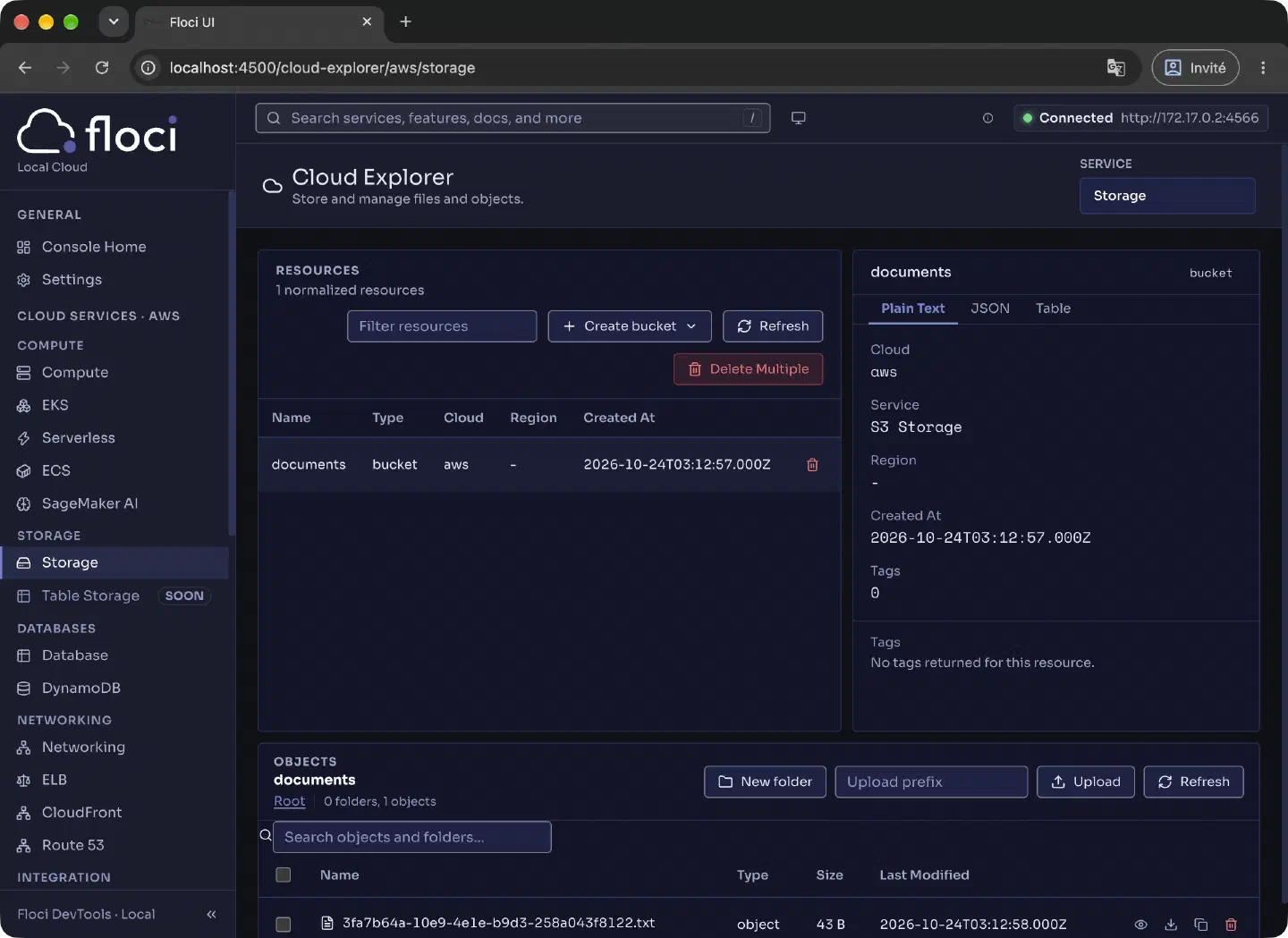
The documents bucket holds the text stored by the application:
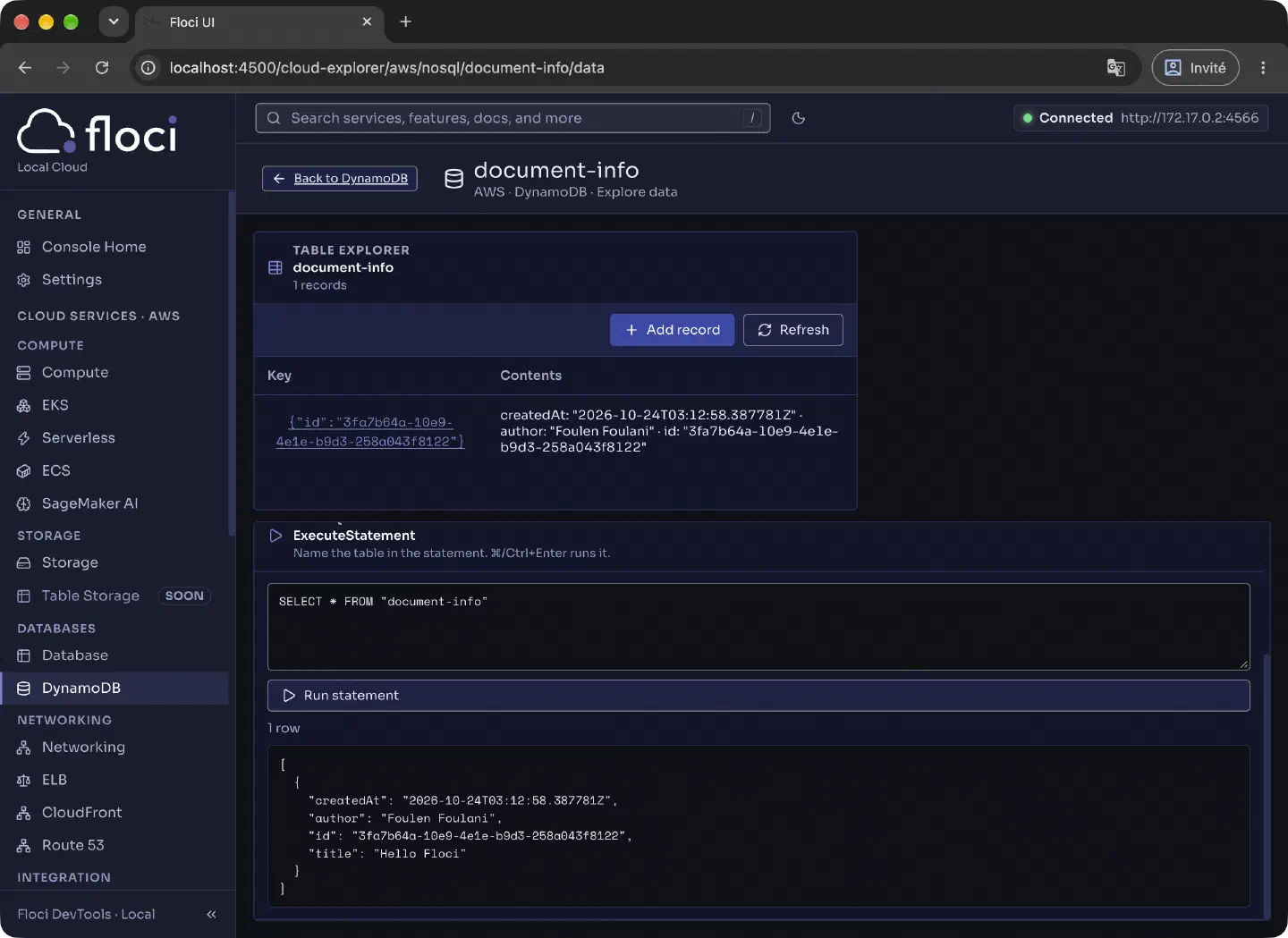
And the document-info table holds its info. A PartiQL query shows it
as JSON:
What to know
An emulator is not AWS. Floci reproduces the protocol and the behavior of the services, and its test suites measure this compatibility; but for a given service, check its place in the list of services and in these tests. The services that start real containers (Lambda, RDS…) need Docker.
To go further, Floci also has Testcontainers modules (Java, Node.js, Python, .NET) that start an isolated Floci for each test. Testing your code with Floci will be the topic of a next post.
Tested on macOS with Floci 2.3.0 (CLI 0.4.0), the AWS CLI 2.38.5, Java 21 (Temurin 21.0.13), Quarkus 3.40.1.1 and the AWS SDK for Java 2.46.7.
Sources: the Floci README (introduction, architecture, web console, compatibility tests, Testcontainers), floci-cli, LocalStack’s post about the delivery of its emulators, and the AWS guide on endpoints.